


How Residential Proxies Support SMS Verification Workflows
How Residential Proxies Support SMS Verification Workflows
Introduction
SMS verification is a common part of online account registration, login security, and identity confirmation. Many platforms use one-time passwords (OTPs) sent to a phone number to verify that a user can access the provided number.
For individuals and businesses managing online operations across different regions, virtual phone numbers can simplify the process of receiving verification codes. However, phone number availability is only one part of a broader workflow. IP addresses, network locations, browser environments, and platform-specific security checks can also influence how online services handle registration and login attempts.
This is where residential proxies can become useful. While virtual numbers handle SMS reception, residential proxies provide an alternative network connection associated with residential IP addresses. Used together appropriately, these tools can support regional testing, account management, and other location-dependent online tasks.
1. What Is the Difference Between Virtual Numbers and Residential Proxies?
Virtual phone numbers and residential proxies serve different purposes. They are complementary tools rather than substitutes for each other.
Virtual phone numbers allow users to receive SMS messages or verification codes without relying on an additional physical SIM card. Depending on the provider and number type, they can be used for one-time verification, account registration, and testing SMS-based services.
Residential proxies, on the other hand, route internet traffic through IP addresses associated with residential networks. They help users access websites and online services through different network locations, making them useful for location-specific testing, data collection, and browser automation.
Here is a simple comparison:
| Feature | Virtual Phone Numbers | Residential Proxies |
| Main function | Receive SMS and OTP codes | Route internet traffic |
| Identifies | A phone number | An IP address |
| Common use cases | SMS verification, registration testing | Web scraping, regional testing, automation |
| Geographic options | Numbers from different countries | IPs from different countries and cities |
| Replaces the other? | No | No |
For example, a virtual number may be used to receive a verification code, while a residential proxy provides the network connection for accessing a website from a selected location. Neither tool guarantees successful registration, since platforms may apply additional verification and security requirements.
2. Why Network Location Matters in Online Verification
Online platforms may consider multiple signals when evaluating registration and login activity. These can include IP location, browser information, device characteristics, account history, and phone number details.
When users access a service from different regions, the network location can become relevant in several situations:
Regional website testing
Businesses often need to understand how their websites and registration processes behave in different markets. A residential proxy can provide a connection associated with a selected country or city, helping teams inspect region-specific pages and user experiences.
Browser automation
Development and QA teams may automate repetitive browser tasks, including testing registration forms, checking page behavior, and validating user flows. Residential proxies can support tests that require different network locations.
Account management
Businesses managing multiple legitimate accounts may need to organize their network environments and monitor how services behave across different locations. Residential proxies provide more flexibility in choosing IP locations, although users should always follow the relevant platform's account policies.
Market research
Some websites display different content depending on the visitor's region. Residential IPs can help researchers examine localized pages, pricing, product availability, and other market-specific information.
It is important to remember that changing an IP address does not change a phone number's country code or guarantee that a platform will accept a registration attempt. Each verification system has its own rules.
3. How Residential Proxies and SMS Services Work Together
A typical workflow may involve several separate steps:
- Choose a suitable phone number. Select a virtual number that supports the target service and country.
- Configure the network connection. If regional network testing is required, connect through a residential proxy with an appropriate location.
- Open the target website or application. Access the service through the intended browser or testing environment.
- Complete the verification process. Enter the phone number and follow the platform's instructions.
- Receive the SMS code. If the service sends a verification message successfully, retrieve the code through the virtual number provider.
- Record the test result. For business or QA workflows, document the region, browser environment, and verification outcome.
The two services operate independently: the proxy handles internet traffic, while the phone number provider receives SMS messages. A proxy does not generate or receive OTP codes, and a virtual number does not determine the IP address used to access a website.
For automated workflows, developers may also integrate provider APIs where available. This can reduce repetitive manual operations and make it easier to organize testing processes.
4. Choosing a Residential Proxy Provider
If your workflow requires access from different network locations, choosing a suitable residential proxy provider is an important consideration.
Here are several factors worth evaluating:
IP coverage and location targeting
A provider with broad geographic coverage can be useful when testing websites or services in multiple markets. Check whether the provider supports country, city, or ISP-level targeting if your project requires more specific locations.
Rotation and session control
Different tasks require different IP session behaviors. Rotating IPs can be useful for certain data collection tasks, while sticky sessions allow users to maintain the same IP for a defined period.
Protocol compatibility
HTTP(S) and SOCKS5 support can make integration easier across browsers, automation tools, and development environments.
Traffic pricing and validity
Review the pricing model before choosing a plan. Some providers charge based on traffic usage, while others offer static IP-based plans. Also check whether unused traffic expires and how long static IPs remain valid.
Documentation and support
Clear setup guides, API documentation, and responsive technical support can make a difference when integrating proxies into existing workflows.
5. Swiftproxy: Residential Proxy Solutions for Global Operations
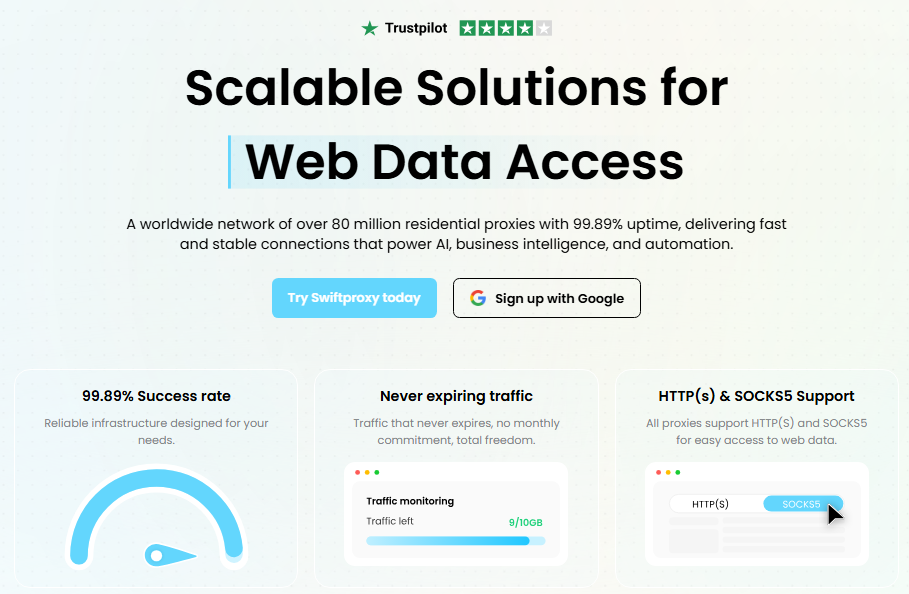
For users who need residential IP access across multiple regions, Swiftproxy provides dynamic residential proxies and static residential proxies.
Its network includes more than 90 million residential IPs across 220+ locations, supporting a range of location-specific online tasks.
Key features include:
- Global coverage: Access residential IPs across more than 220 locations.
- Flexible sessions: Choose rotating IPs or sticky sessions according to your workflow.
- Multiple protocols: Support for HTTP(S) and SOCKS5.
- Location targeting: Select IPs by country, city, and ISP.
- Flexible authentication: Connect using API or username and password authentication.
Swiftproxy's dynamic residential traffic starts at $0.70/GB, while static residential proxies start at $6 per IP. Dynamic traffic does not expire until used, while static proxy service is valid for 30 days.
These options can support web scraping, browser automation, SEO monitoring, regional website testing, and other online operations that require residential IP connections.
You can explore the available plans at Swiftproxy. New users can also request a free test to evaluate the service before choosing a plan. Use the code PROXY90 for 10% off.
Conclusion
Virtual phone numbers and residential proxies address two different parts of online workflows. Virtual numbers make it possible to receive SMS verification codes, while residential proxies provide flexible network connections associated with residential IP addresses.
For businesses and developers working with regional testing, browser automation, and account-related processes, understanding how these tools differ can help build a more organized workflow.
The right setup depends on the task, the target platform's requirements, and the provider's supported features. By choosing suitable services and using them in accordance with platform policies, users can manage location-dependent online operations more effectively.